Export & Publish VEX
Your assessments are only useful to others if they can read them. DevGuard turns the decisions recorded in your repository into machine-readable documents — either downloaded on demand, or served from a stable URL that always reflects the current state.
Download a VEX document
- Navigate to Dependency Risks → VEX Rules.
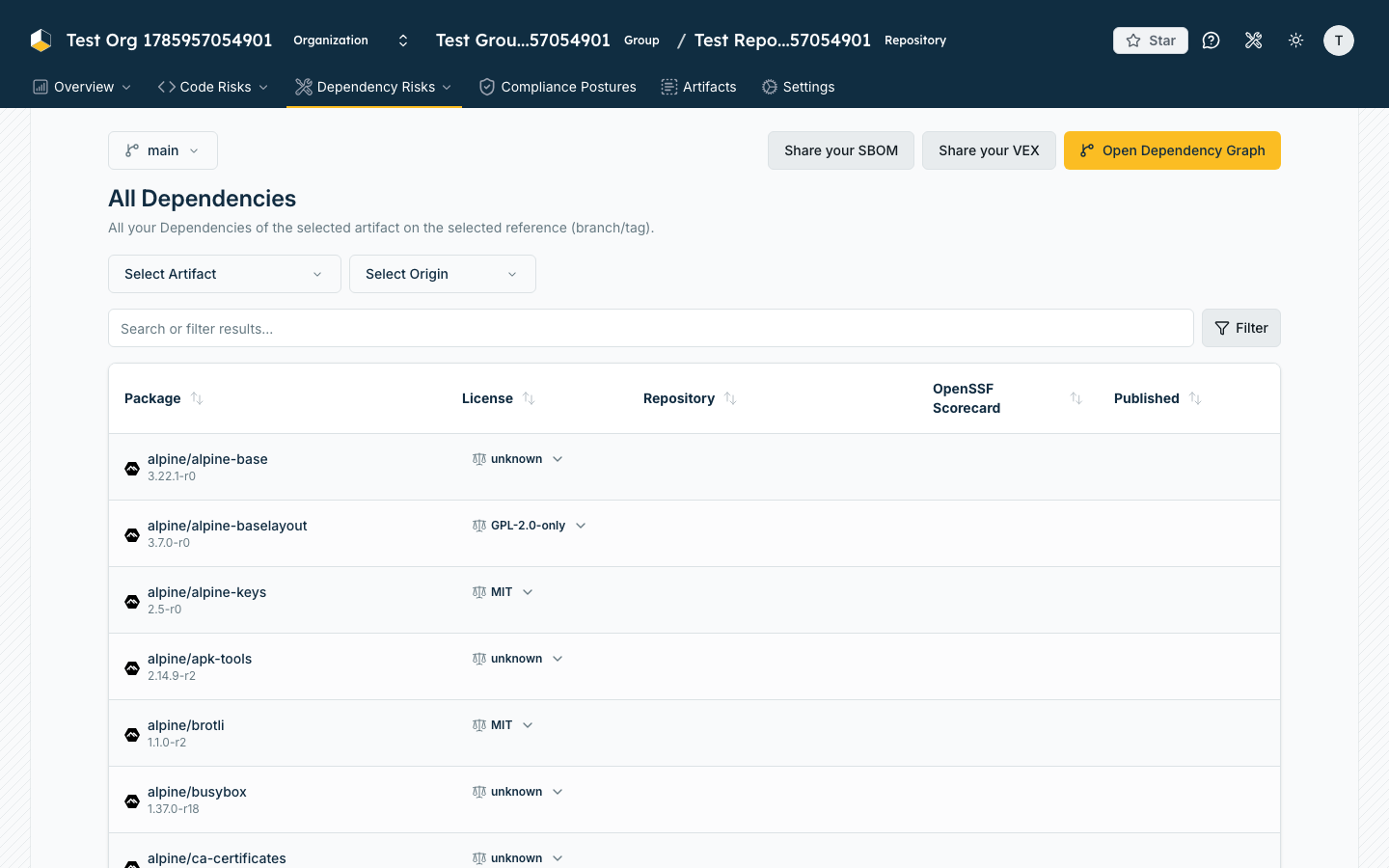
- Click Share your VEX.
- Select the Branch / Tag and the Artifact — VEX is always published per reference and per artifact.
- Choose Download in JSON-Format or Download in XML-Format.
Publish always-current URLs
A downloaded file goes stale the moment it is written. For consumers who should always see your current posture, publish the endpoints instead.
- Open Repository Settings.
- Enable Enable public access to vulnerability data.
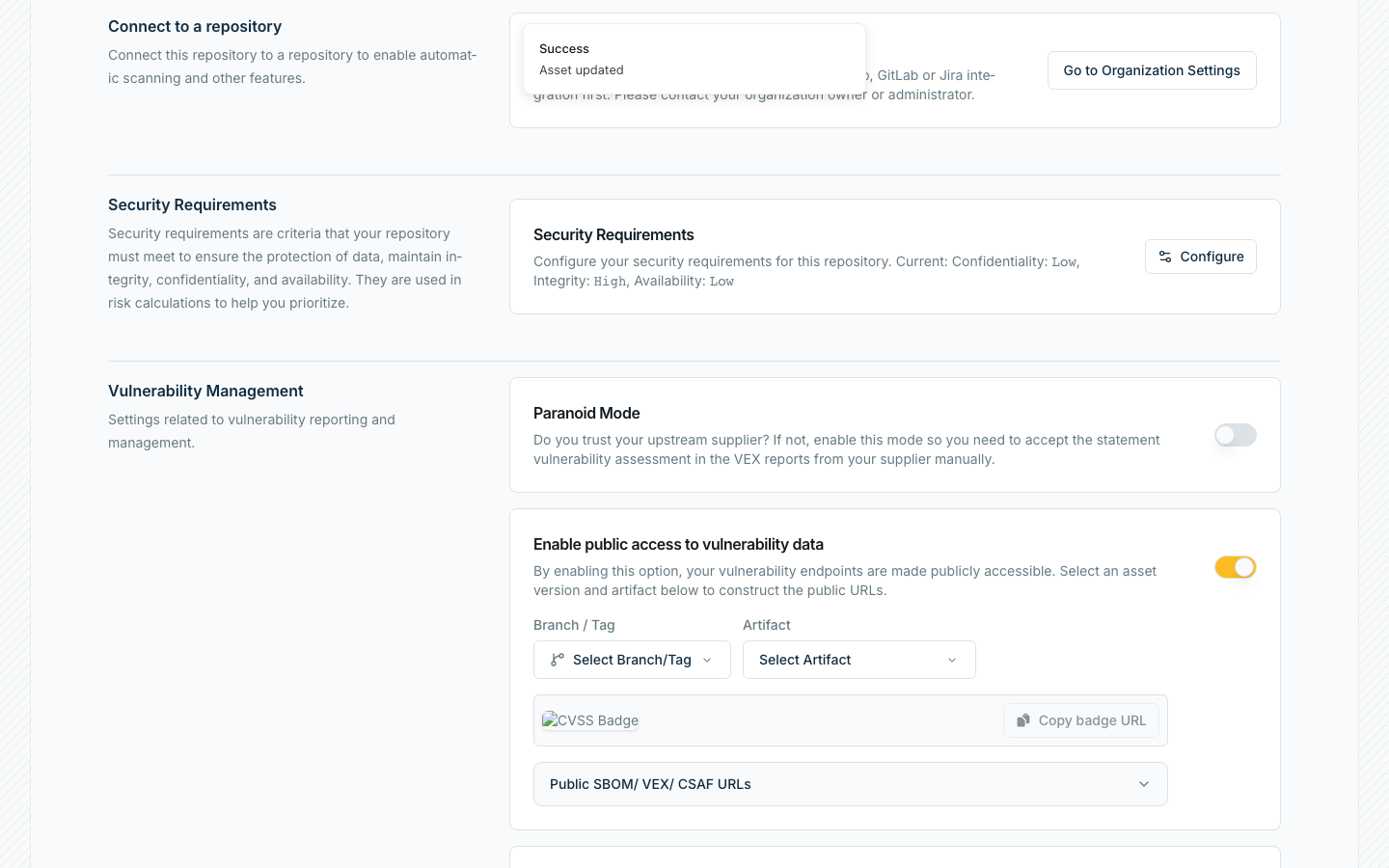
- Select the Branch / Tag and Artifact to publish.
- Expand Public SBOM / VEX / CSAF URLs and copy the URL you need:
| Row | Serves |
|---|---|
| VeX-URL | CycloneDX VEX, always current |
| OpenVex-URL | OpenVEX, always current |
| CSAF-URL | CSAF, always current |
| SBOM-URL | The component inventory |
Published CycloneDX documents reference each other: the VEX links to the SBOM and to the dashboard, so a consumer who finds one can discover the rest. Once you enable public access, this cross-referencing also applies to documents you download directly — a downloaded VEX or SBOM includes the same published URLs as external references, so a consumer holding only the file you handed them can still reach the always-current versions.
What the formats carry
DevGuard writes all three, from the same underlying decisions. They are not equivalent.
| Your decision | CycloneDX VEX | OpenVEX | CSAF |
|---|---|---|---|
| Open / untriaged | in_triage | under_investigation | under_investigation |
| False positive | false_positive | not_affected | known_not_affected + a flags label |
| Accepted risk | exploitable + will_not_fix | affected | known_affected + no_fix_planned |
Publish CSAF as a trusted provider
CSAF defines how a vendor's advisories are discovered and validated. DevGuard serves the full provider structure once public access is enabled:
| Endpoint | Purpose |
|---|---|
/.well-known/csaf-aggregator/aggregator.json | Lists the providers on this DevGuard instance |
/api/v1/organizations/{org}/csaf/provider-metadata.json | Your organization's provider metadata |
…/assets/{asset}/csaf/white/index.txt | Index of all advisory files |
…/assets/{asset}/csaf/white/changes.csv | Advisories with their last change date |
…/assets/{asset}/csaf/white/{year}/{cve}.json | A single advisory |
Every advisory is also served as .asc (detached OpenPGP signature), .sha256 and .sha512, so consumers
can verify integrity and authorship.
For the endpoint details and how to consume another vendor's CSAF, see CSAF Reports in DevGuard.
Why this matters for compliance
Publishing VEX and CSAF is what turns your internal triage into evidence:
- Cyber Resilience Act — machine-readable vulnerability disclosure to downstream users
- ISO 27001 / audits — a signed, timestamped record of every assessment and who made it
- Customer due diligence — a URL replaces the recurring "does CVE-X affect you?" email
See Why Compliance Matters and Audit Trails.
Related Documentation
- Import VEX from Files & Suppliers — the same flow in the other direction
- CSAF Reports in DevGuard — CSAF endpoints and consuming upstream providers
- Create Security Advisories — disclosing your own vulnerabilities
- Export SBOM — the component inventory that accompanies VEX
- CSAF & VEX Standards — the standards behind these documents
- Multi-Level VEXing for Releases — exporting one document for a product built from several components