CSAF Reports in DevGuard
Enabling CSAF Reports
To start publishing CSAF reports for your assets, follow these steps:
- Navigate to your Repository Settings
- Go to the Vulnerability Management section
- Enable "Enable public access to vulnerability data"
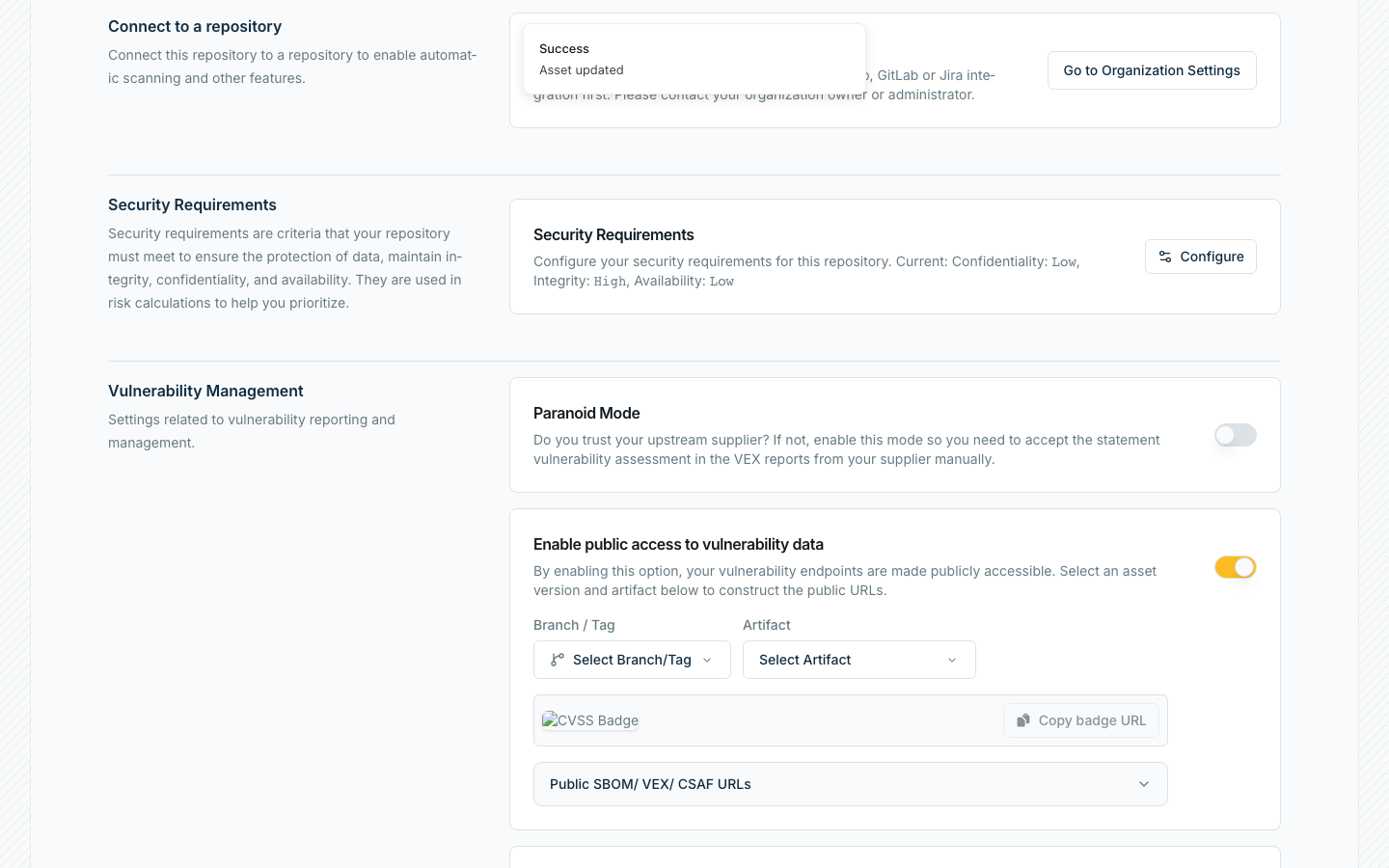
Once enabled, your organization will be registered as a CSAF provider and your vulnerability data will be available through standardized CSAF endpoints.
Accessing CSAF Data
After enabling CSAF reports, your organization's vulnerability data becomes accessible through a hierarchical structure:
Instance Lister
On the instance level all organizations providing CSAF reports are listed:
- Primary endpoint:
https://api.devguard.org/api/v1/.well-known/csaf-aggregator/aggregator.json - Alternative endpoint:
https://main.devguard.org/.well-known/csaf-aggregator/aggregator.json
Your organization will be listed publicly as a provider in this list once you enable public access to vulnerability data.
Provider Metadata
Each organization has a provider metadata file that lists all repositories (assets) with CSAF reports available:
https://api.devguard.org/api/v1/organizations/{org-name}/csaf/provider-metadata.json
This file contains a distributions array listing directory_url your repositories (assets) that have CSAF reports enabled.
Asset Reports
Individual vulnerability reports for each asset are organized by year and TLP (Traffic Light Protocol) (DevGuard currently only supports TLP:WHITE) level:
https://api.devguard.org/api/v1/organizations/{org-name}/projects/{project-name}/assets/{asset-name}/csaf/white/{year}/
Each asset will have a separate CSAF report for every vulnerability that has been detected throughout its lifetime.
Example Index of the DevGuard backend repository.
Consuming CSAF Reports as Upstream Data
DevGuard allows you to consume CSAF reports from other organizations as upstream vulnerability data. This is particularly useful for tracking vulnerabilities in your dependencies. It also enables sharing assessment results between different teams and organizations.
Configuration
When creating or updating an artifact, you can configure CSAF as an upstream source by saving an upstream CSAF URL and PURL to one of your assets:
-
Provider Metadata URL: The organization's CSAF provider metadata endpoint
https://api.devguard.org/api/v1/organizations/{org-name}/csaf/provider-metadata.json -
Package URL (PURL): The identifier for the specific asset you want to track. You usually get that PURL from your upstream. Examples how that PURL can look like:
- A npm package:
pkg:npm/next@15.4.7- For OCI containers:
pkg:oci/devguard@v0.19.0?repository_url=ghcr.io/l3montree-dev/devguard&tag=v0.19.0 - For DevGuard repositories:
pkg:devguard/{org}/{repo}@{ref}
Upstream Event Handling
Once configured, CSAF upstream sources are processed using the same event handling mechanism as other upstream information sources. For more details, see the Ingesting Upstream Information guide - especially the section on processing rules and behaviour.
What to find in DevGuard's CSAF reports
Each report covers a single vulnerability affecting your asset and follows the CSAF VEX profile. It consists of:
- a document object — publisher identity, TLP classification, a tracking id, and a revision history assembled from the vulnerability's events
- a product tree — your artifact, the affected component, and the
default_component_ofrelationships that reconstruct the dependency path - a vulnerabilities object — the CVE, its description, the per-product status, any remediations, and a
flagsentry carrying the mechanical justification for products marked not affected
Because the product tree models relationships, a report can state a different status for each dependency path leading to the same component — something CycloneDX VEX cannot express. For how the formats compare, see CSAF & VEX Standards.
Related Documentation
- CSAF & VEX Standards — what CSAF is and how it differs from CycloneDX VEX and OpenVEX
- Export & Publish VEX — publishing your assessments in all three formats
- Import VEX from Files & Suppliers — consuming a supplier's CSAF as VEX rules
- Create Security Advisories — publishing advisories for your own software
- Sync External Vulnerability Data — the full upstream ingestion lifecycle
- CSAF API — the REST endpoints