Kubernetes DevGuard Integration
Most security tools ask you to tell them what to scan. You push a list of images, maintain a registry, keep it up to date when workloads change. In fast-moving clusters this quickly becomes a maintenance burden — and the gaps are exactly where vulnerabilities go unnoticed.
The devguard-k8s-image-inventory daemon flips this: it watches your cluster and tells DevGuard what is running. Every container image — across every namespace, every workload — is discovered automatically, scanned with Trivy, and reported as a tracked asset in DevGuard. When images are no longer running, they disappear from DevGuard too.
The result is a continuously accurate picture of your cluster's security posture, with no asset list to maintain and no manual scans to schedule.
What problems this solves
The unknown-image problem. In a typical cluster, dozens of images are running at any given moment — third-party operators, sidecar injections, init containers, images promoted to production without going through a formal release process. Without automated discovery you simply don't know what's there. The daemon watches the Kubernetes API and catches everything, including images you didn't deploy yourself.
The drift problem. An image that was safe last week may have a critical CVE today. Scheduled scans help, but they leave windows. The daemon rescans when it detects pod changes, so newly deployed images are assessed within seconds of appearing in the cluster, not at the next cron tick.
The lifecycle problem. Old asset inventories accumulate stale entries — images that were retired months ago still show up as findings, creating noise and eroding trust in the data. The daemon tracks lifecycle: when an image stops running in the cluster, DevGuard removes it automatically, cascading the deletion up through asset version, asset, and project as appropriate.
The context problem. A raw list of image digests tells you nothing about impact. By organising images under their Kubernetes namespace and workload name, DevGuard gives each finding the operational context a security team needs: which service is affected, in which environment, and which team owns it.
How it works
The daemon is a long-running process inside your cluster. It uses the Kubernetes API to watch all pods and maintains a local inventory of what it has already scanned.
When it discovers an image it hasn't seen before:
- It pulls the image and generates a CycloneDX SBOM using Trivy
- It reports the image to DevGuard via the External Entity API — DevGuard creates the project hierarchy, stores the SBOM, and triggers a vulnerability scan against its advisory database
- It annotates the pod so the same image is not re-scanned on the next startup (configurable)
When a pod with a particular image stops running and no other running pod references the same image, the daemon sends a delete signal to DevGuard. DevGuard cascades the deletion upward through the hierarchy, stopping at the first level that still has other data attached to it.
Real-time vs cron mode
By default the daemon uses a pod informer: changes to pods trigger analysis immediately. A full sync runs once at startup to catch anything that was already running. DevGuard also periodically re-scans known images to catch newly published CVEs even when the running workloads haven't changed.
If you prefer to batch initial scans — for example to avoid hammering a registry during business hours — you can switch to cron mode by setting SBOM_CRON to any standard cron expression. In cron mode the daemon scans all current pods on schedule rather than reacting to changes.
How images are mapped in DevGuard
The daemon uses your Kubernetes namespace and workload names as external entity IDs. DevGuard organises them as a project hierarchy under the root project you configure:
Root project  (the DevGuard project you point DEVGUARD_PROJECT_URL at)
└── Namespace              → Sub-project  (e.g. "production")
    └── Workload name      → Asset        (e.g. "api-server")
        └── Image tag      → Asset version (e.g. "2.14.1")
            └── Image ref  → Artifact     (e.g. "ghcr.io/acme/api:2.14.1@sha256:...")
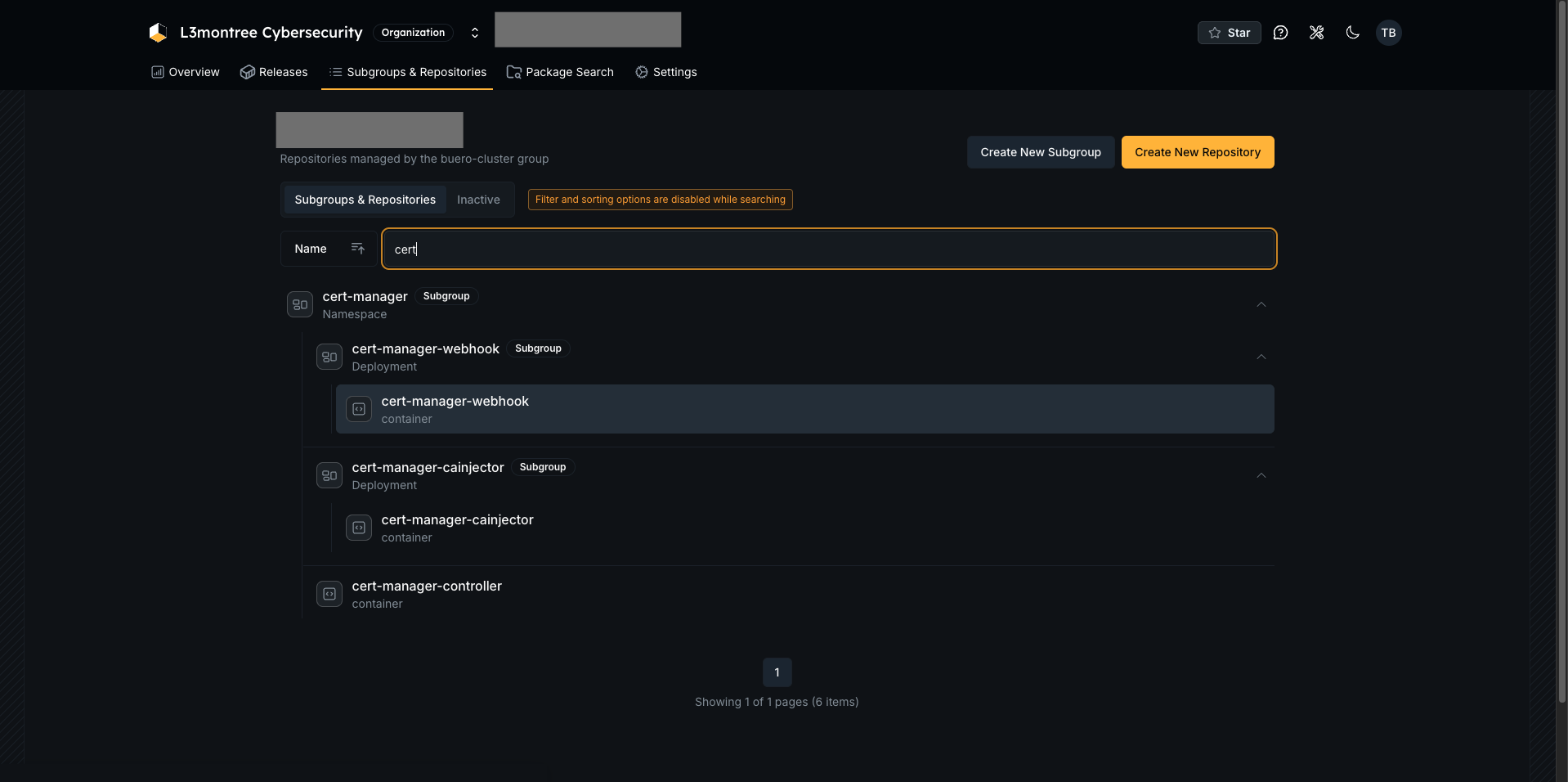
This means that after installation you will see your Kubernetes workloads appear automatically in DevGuard, grouped by namespace. Each workload shows its running images, the full SBOM for each, and the vulnerability findings derived from it.
Dashboard view
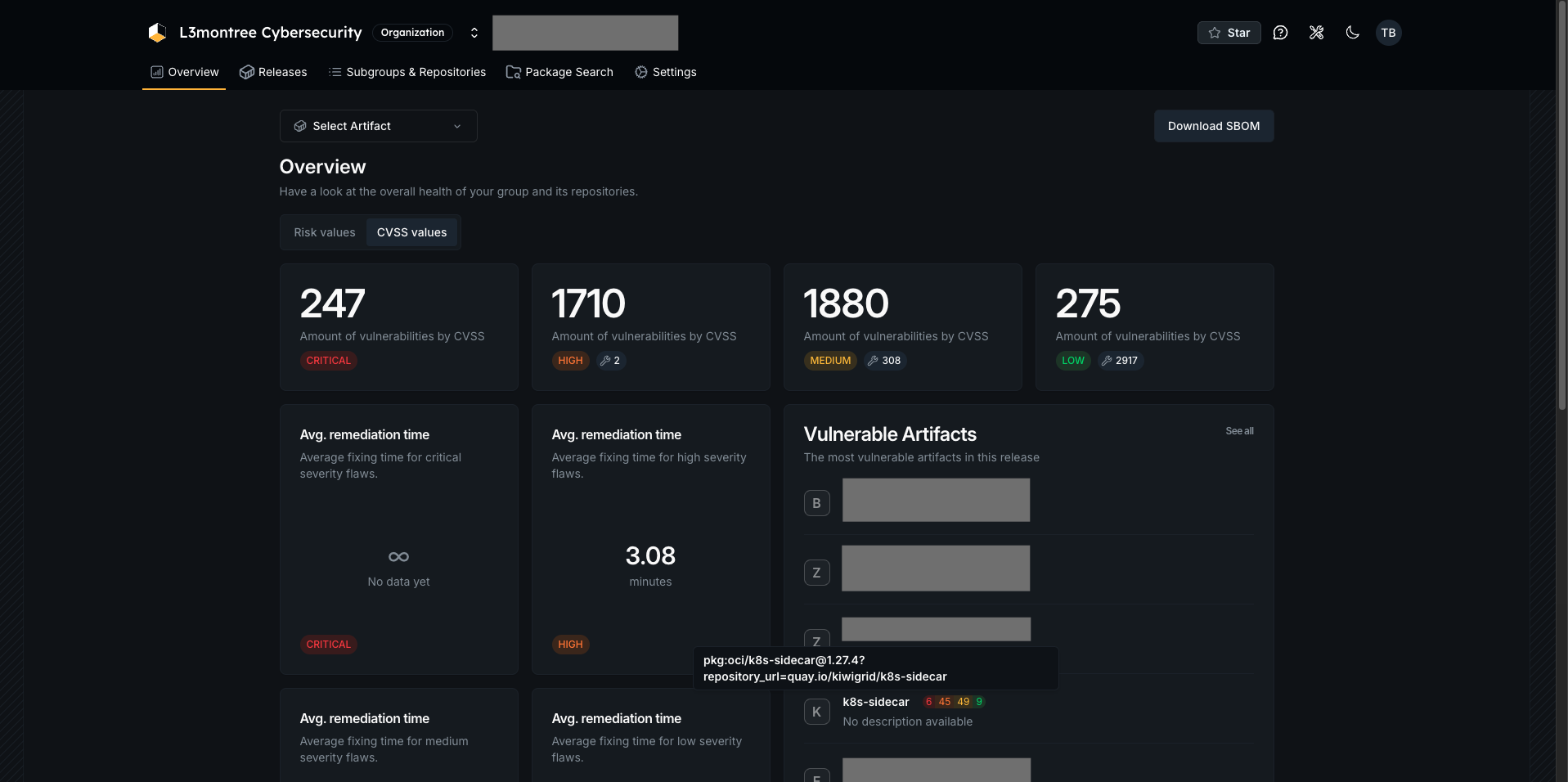
The DevGuard dashboard aggregates findings across all images in the cluster, giving you a single risk score and finding count for the entire cluster or any subset of namespaces.
How deep does the integration go?
The integration covers the full vulnerability management workflow, not just discovery:
- SBOM generation — a full CycloneDX SBOM is generated for every image and stored in DevGuard, giving you a complete bill of materials for every running workload
- Vulnerability scanning — findings are enriched with CVE details, CVSS scores, EPSS exploit probability, and CISA KEV status
- Risk assessment — security teams can triage findings, accept risks with justification, and mark false positives directly in DevGuard; those decisions persist across rescans
- Lifecycle tracking — images that leave the cluster are automatically cleaned up; no stale findings from decommissioned workloads
- Namespace-level filtering — restrict scanning to specific namespaces or pod labels to focus on production workloads or exclude test environments
- Private registry support — pull secrets and registry proxies are supported for air-gapped or mirrored environments
Requirements
- Kubernetes 1.29+
- A DevGuard account and an existing root project
- A DevGuard API token — see Personal Access Tokens
Installation
1. Create the namespace and token secret
2. Apply the RBAC manifests
This creates a ServiceAccount, ClusterRole, and ClusterRoleBinding with the minimum access required: get, list, and watch on pods, namespaces, secrets, and ReplicaSets, plus patch on pods so the daemon can annotate them to track which images have already been scanned.
3. Configure and apply the deployment
Edit deploy/deployment.yaml and set DEVGUARD_PROJECT_URL to your DevGuard project:
The daemon appends its own provider ID to this URL. You can choose any provider ID — it namespaces all entries this daemon creates in DevGuard, which lets you run multiple daemons (e.g. one per cluster) reporting into the same root project without conflicts.
Then apply:
After a few minutes you should see your namespaces and workloads appear as sub-projects in DevGuard, each with their images and vulnerability findings.
Configuration
All options are read from environment variables or a YAML config file.
| Environment variable | Default | Description |
|---|---|---|
DEVGUARD_PROJECT_URL | — | DevGuard project URL (required) |
DEVGUARD_TOKEN_FILE | — | Path to a file containing the API token. The deployment mounts the secret at /etc/devguard/token. |
SBOM_CRON | "" | Cron expression for scheduled mode. When empty, real-time (pod informer) mode is used. |
SBOM_POD_LABEL_SELECTOR | "" | Kubernetes label selector to restrict which pods are scanned |
SBOM_NAMESPACE_LABEL_SELECTOR | "" | Kubernetes label selector to restrict which namespaces are scanned |
SBOM_IGNORE_ANNOTATIONS | false | When true, re-scans images even if already annotated as processed |
SBOM_FALLBACK_PULL_SECRET | "" | Name of a pull secret (in the daemon namespace) used as fallback for private registries |
SBOM_REGISTRY_PROXY | [] | Registry proxy mappings, e.g. docker.io=my-mirror.example.com. Repeatable. Useful for air-gapped environments. |
SBOM_JOB_TIMEOUT | 3600 | Maximum seconds a scan job may run before it is abandoned |
SBOM_VERBOSITY | info | Log level: debug, info, warn, error |
Scoping scans to production
If you want to scan only production workloads and ignore test namespaces, label your production namespaces and use the selector:
Trivy Configuration
The container image sets TRIVY_CONFIG=/etc/devguard/trivy.yaml. Mount a ConfigMap to that path to customize Trivy's behavior — for example to restrict severity levels or disable vulnerability database updates in air-gapped environments:
Then mount it in the deployment alongside the token secret:
Security
The daemon is designed to run with the minimum footprint necessary:
- Runs as non-root (
UID 53111) on a read-only root filesystem - The DevGuard token is mounted from a Kubernetes secret — never passed as a plain environment variable
- All Linux capabilities are dropped; privilege escalation is disabled
- Seccomp profile set to
RuntimeDefault - Read-only Kubernetes API access — the RBAC grants only
get,list, andwatchon the required resources; the daemon never modifies any cluster resource