Custom Webhooks
DevGuard can send an HTTP POST request to a URL of your choice whenever a security-relevant event occurs — a new SBOM is generated, or new dependency or first-party vulnerabilities are found. Use custom webhooks to forward these events to your own custom endpoint.
Scope
A webhook belongs to exactly one organization, and optionally one project within it:
- Organization-scoped — created via the organization endpoint. Fires for every project and asset in the organization.
- Project-scoped — created via the project endpoint. Fires only for assets within that specific project.
When an event fires for a project, DevGuard delivers it to that project's own webhooks and to every organization-scoped webhook on the parent org. There is no asset-level scope — you can't register a webhook for a single asset.
Supported Event Types
| Type | Enabled by | Fires when |
|---|---|---|
sbom | sbomEnabled | A new SBOM is generated for an artifact, on the asset's default branch or a tag (not on other branches) |
dependencyVulnerabilities | vulnEnabled | A scan finds one or more newly opened dependency vulnerabilities (SCA), on the default branch or a tag |
firstPartyVulnerabilities | vulnEnabled | A scan finds first-party findings (SAST/secrets) that are new across all branches, on the default branch or a tag |
test | — | Sent on demand via the test endpoint; never fires from real scan activity |
There's no separate toggle for dependency vs. first-party findings — vulnEnabled controls both. Non-default branches never trigger deliveries, even if they introduce new findings.
Managing Webhooks
You can manage custom webhooks either from the DevGuard web UI or by talking to the API directly.
Webhook settings live in one of two places, depending on the scope you want:
- Organization-scoped — Organization Settings → Webhooks. Fires for every project and asset in the organization.
- Project-scoped — Project Settings → Webhooks. Fires only for assets within that specific project.
Creating a Webhook
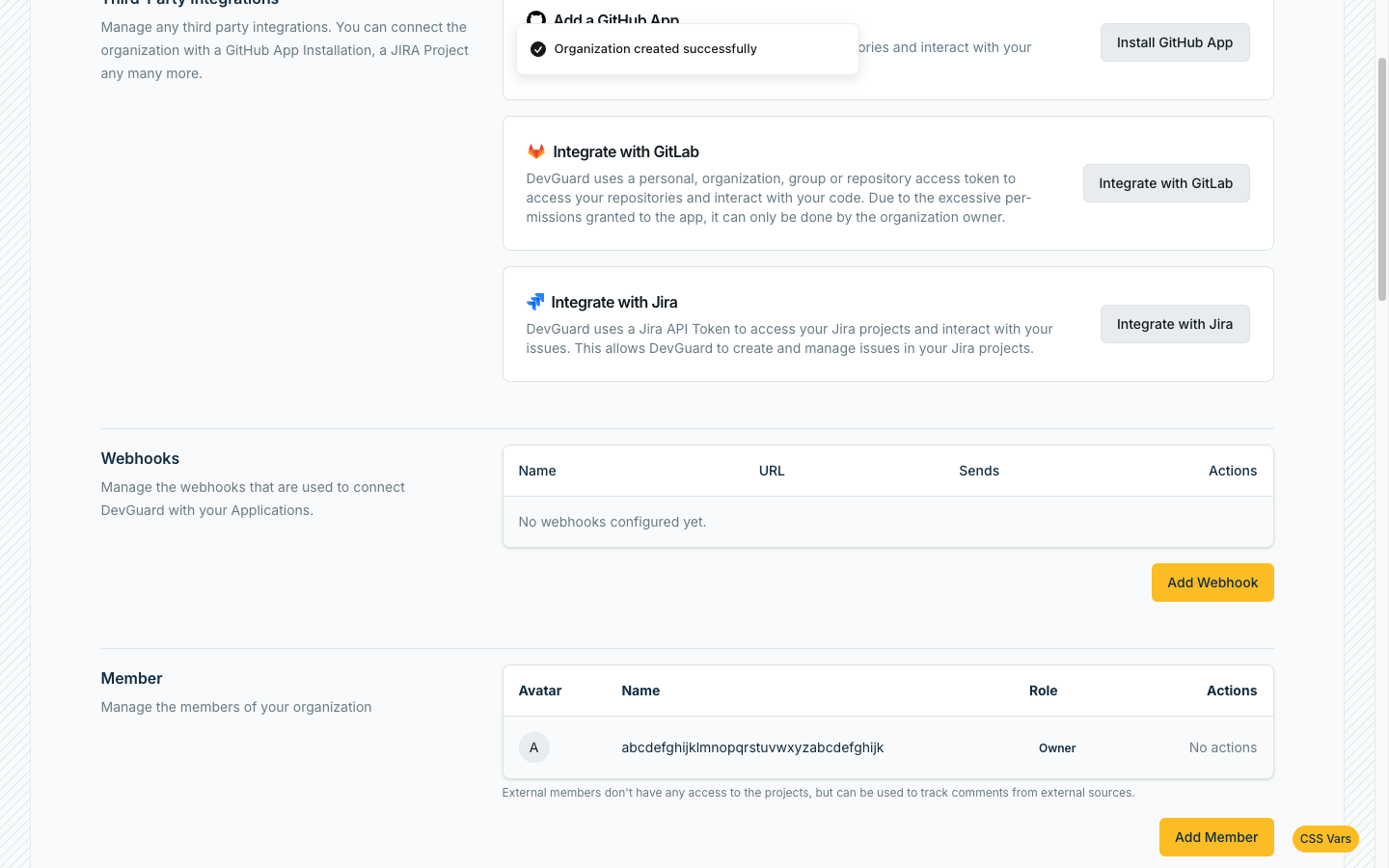
- Open the Webhooks panel (Organization Settings or Project Settings, depending on the scope you want).
Example on Organization Level:
-
Click Add Webhook.
-
Fill in the fields:
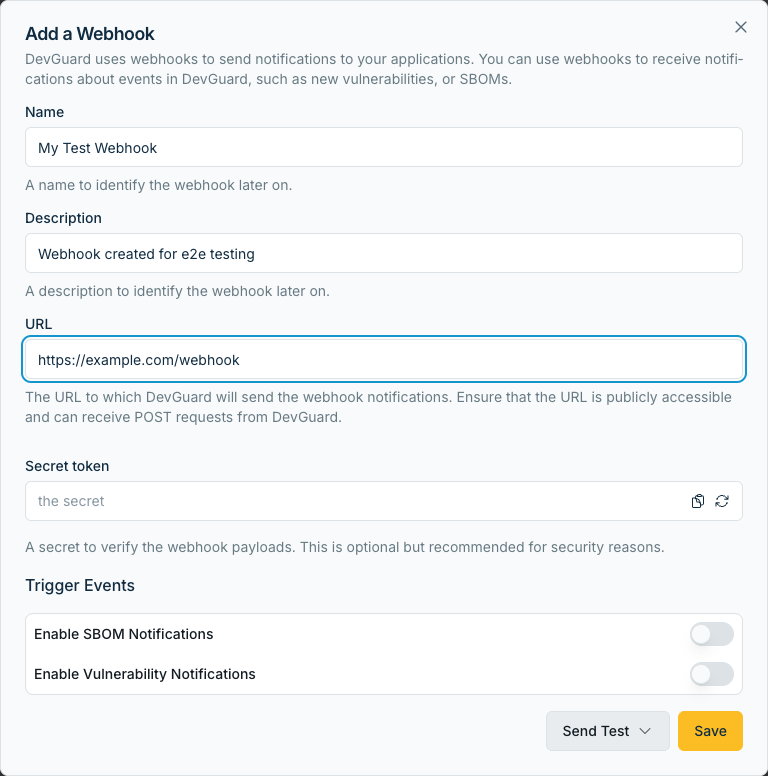
| Field | Required | Description |
|---|---|---|
name | no | Display name for the webhook |
description | no | Free-text description of the webhook's purpose |
url | yes | The endpoint DevGuard sends POST requests to |
secret | no | Shared secret DevGuard echoes back on every delivery in the X-Webhook-Secret header, so your endpoint can verify the sender. Encrypted at rest; never shown back to you after creation. |
| SBOM events | no | Deliver sbom events |
| Vuln events | no | Deliver dependencyVulnerabilities and firstPartyVulnerabilities events |
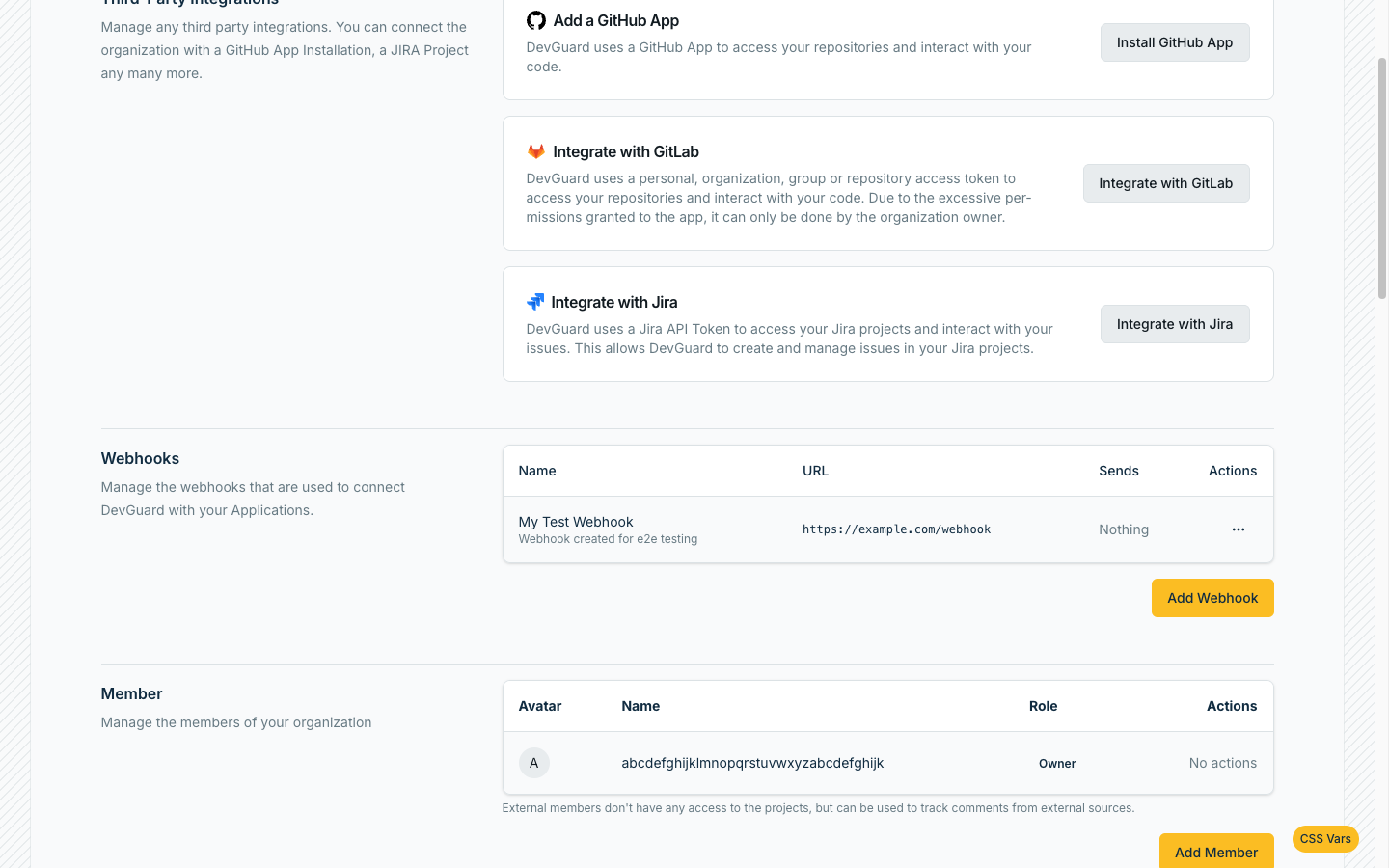
- Click Save.
Updating a Webhook
- In the Webhooks panel, open the webhook you want to change.
Example on Organization Level:
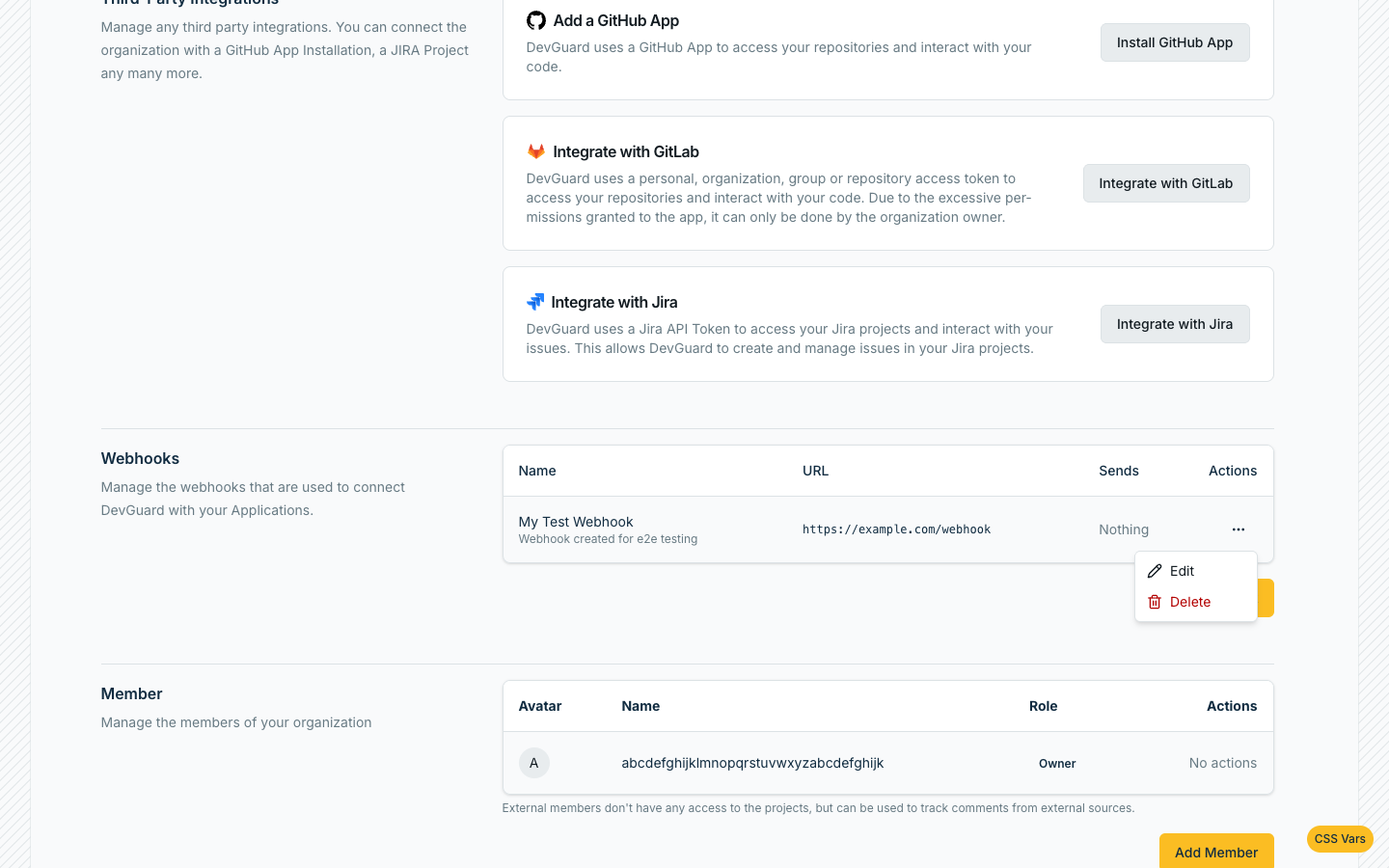
- Edit any field — name, description, URL, secret, or which event types are enabled.
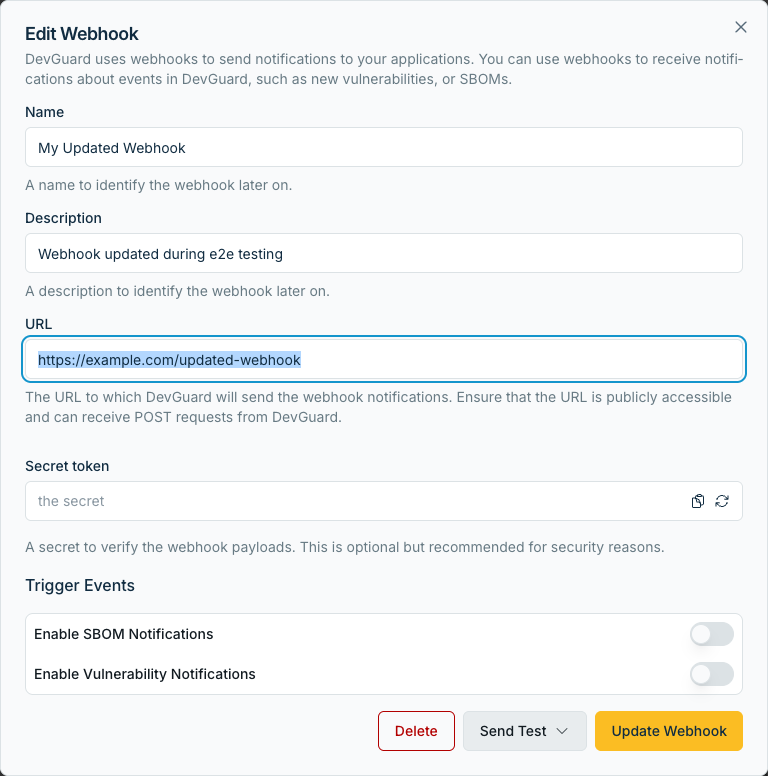
- Click Save.
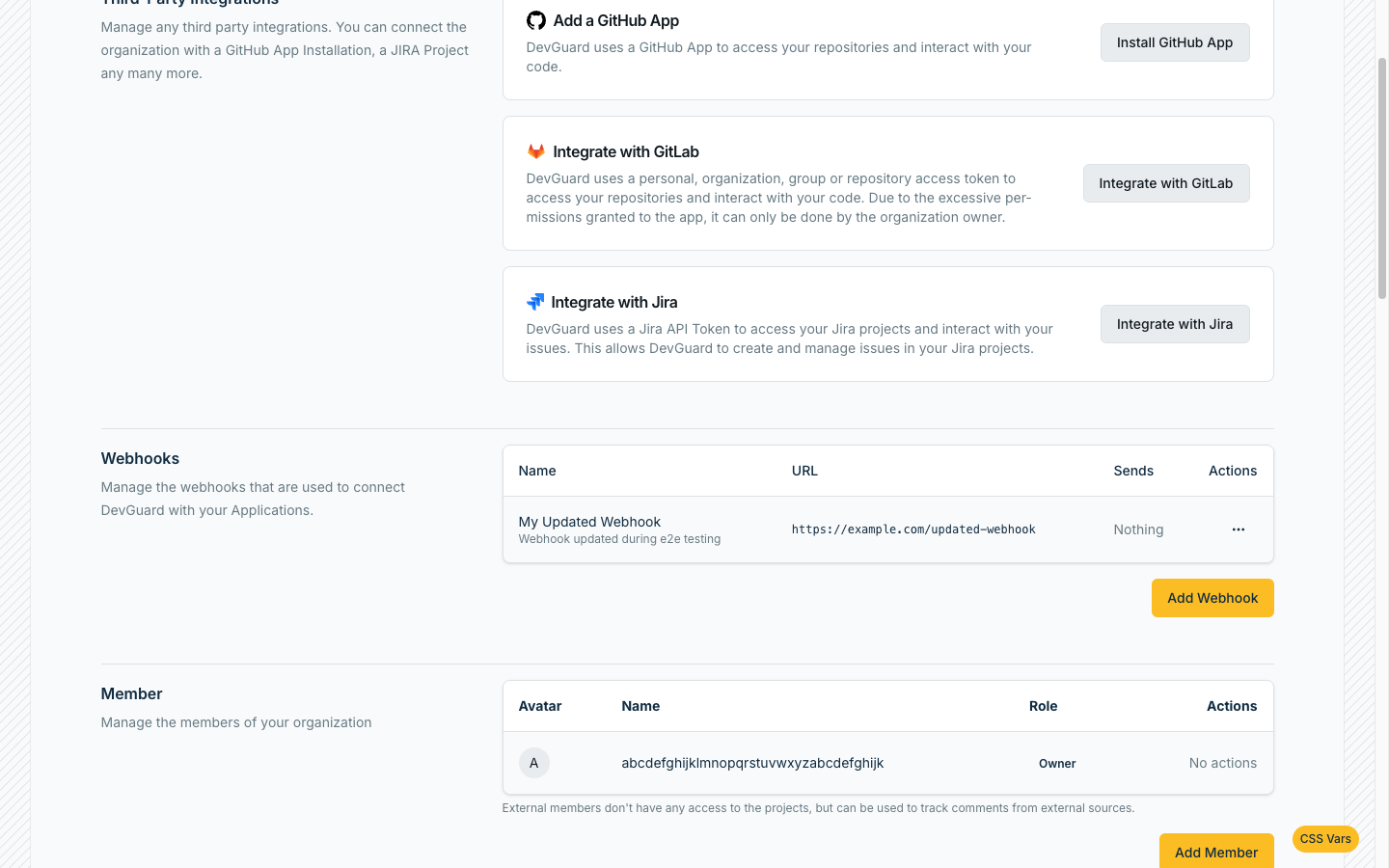
Deleting a Webhook
- In the Webhooks panel, find the webhook.
Example on Organization Level:
- Choose Delete

- Confirm the deletion.
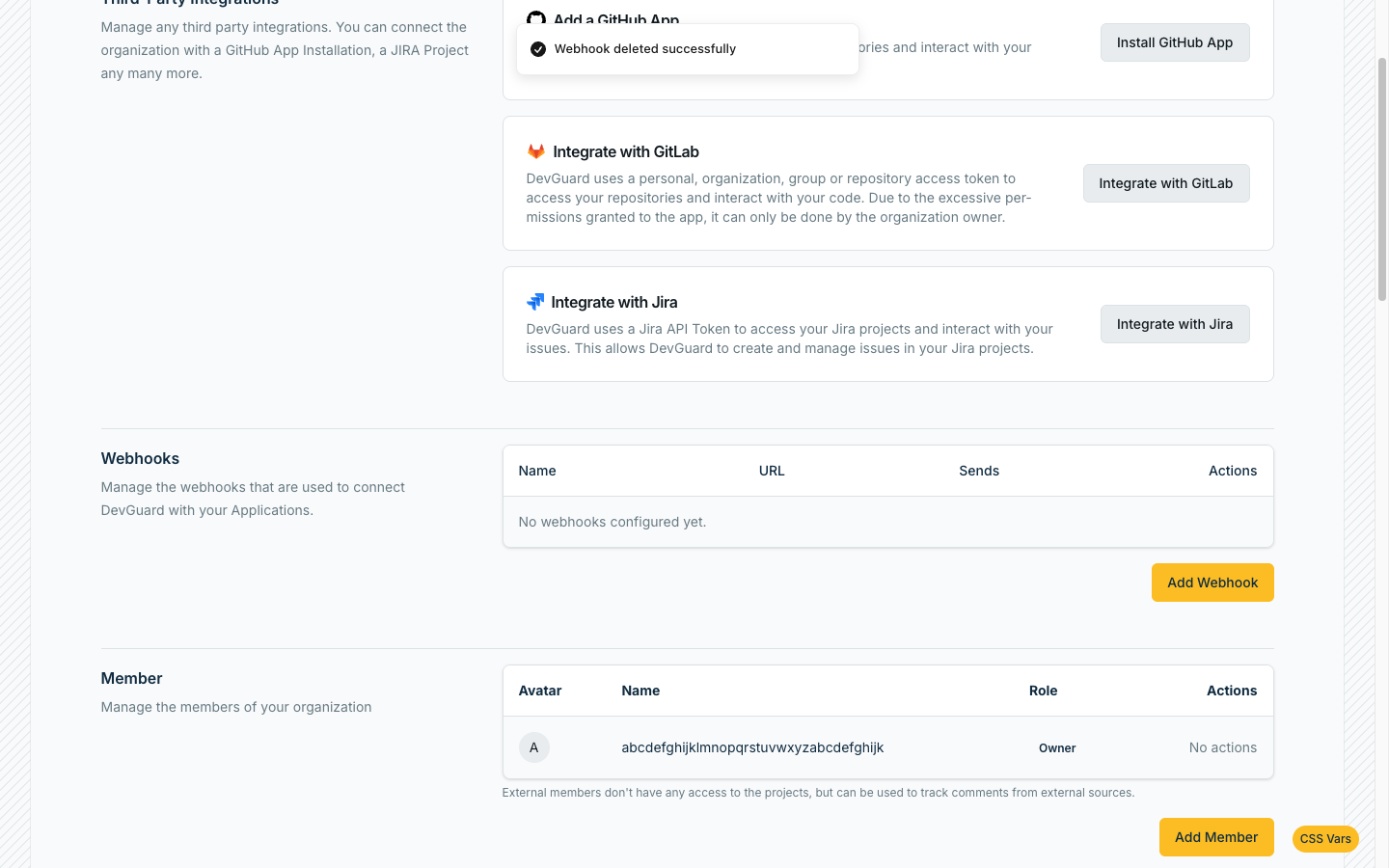
This immediately stops all future deliveries to that webhook.
Sending a Test Webhook
Send a real delivery to any URL, whether or not you've already saved a webhook:
- In the Webhooks panel, click Send Test.
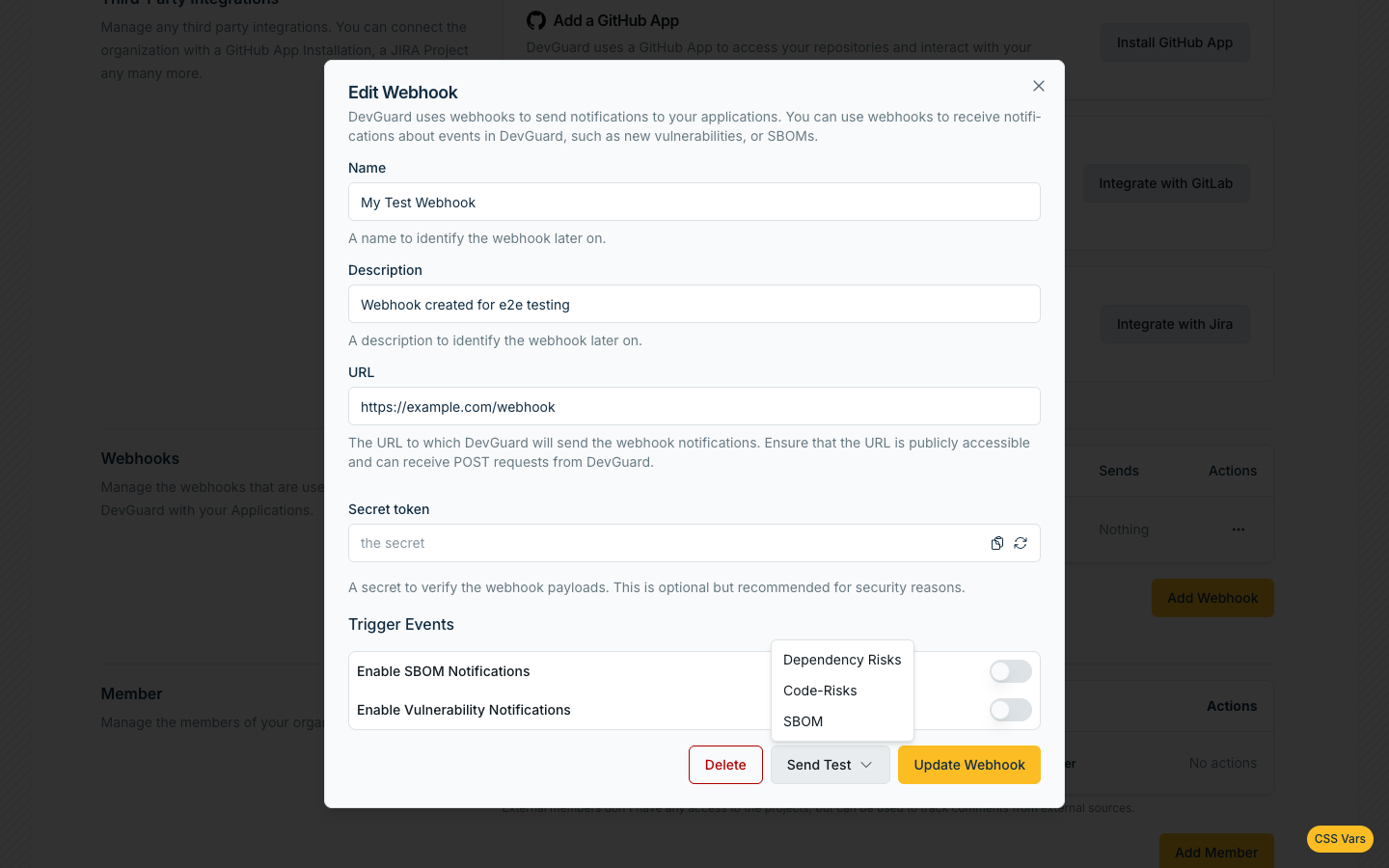
- Choose a Payload Type to control the shape of the sample event:
| Value | Wire type sent | Description |
|---|---|---|
empty | test | {"message": "This is a test webhook from DevGuard", "timestamp": "<RFC3339>"} (the default) |
sampleSbom | sbom | A sample CycloneDX 1.4 SBOM for a fictional example-web-app — real sbom deliveries are CycloneDX 1.6, see below |
sampleDependencyVulns | dependencyVulnerabilities | A sample Log4Shell finding (CVE-2021-44228) |
sampleFirstPartyVulns | firstPartyVulnerabilities | A sample SQL-injection finding |
Note that for the three sample types, the type field in the delivered envelope is the real event type (e.g. sbom), not test — only the default empty payload produces the literal test type.
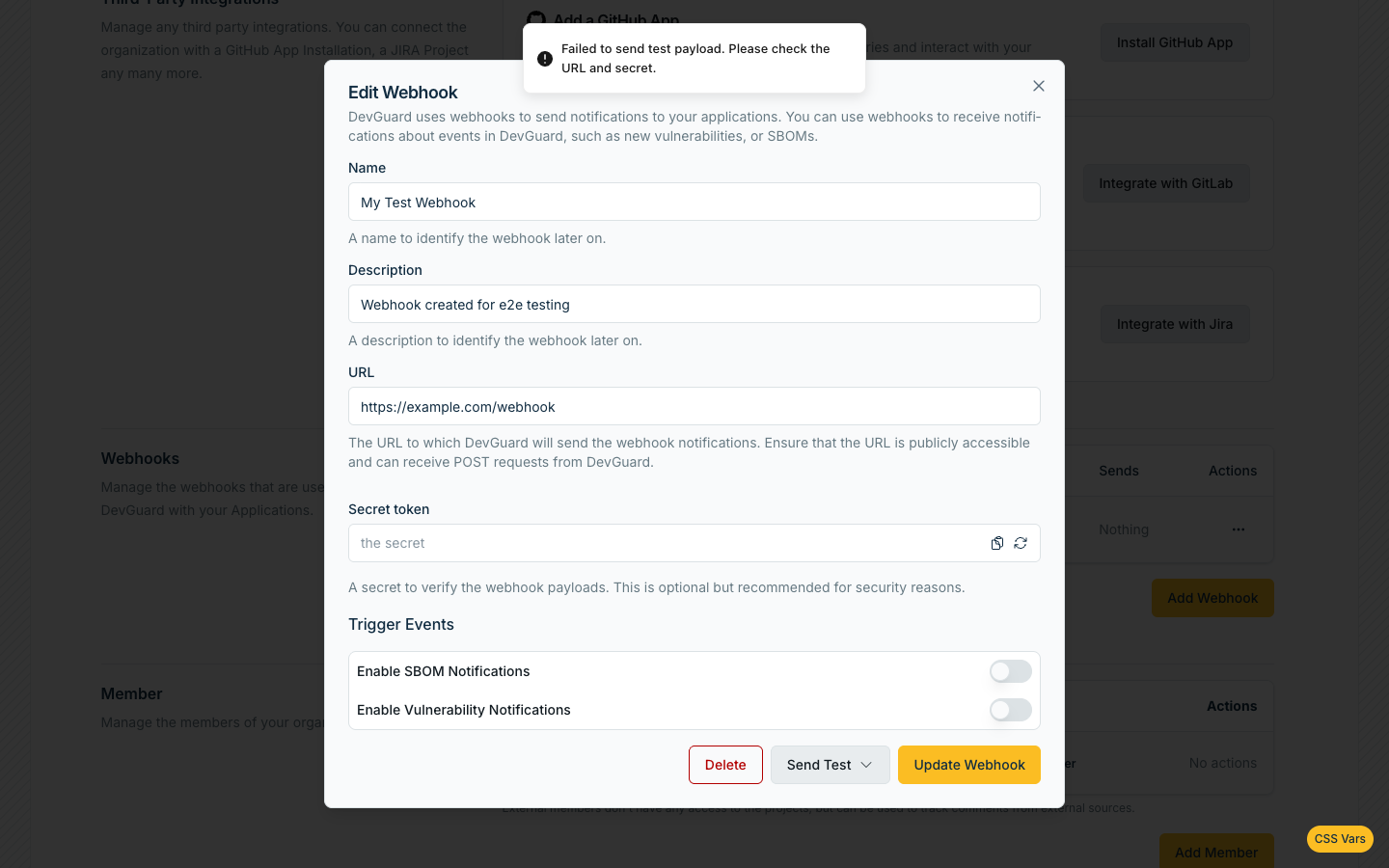
- Click Send. The UI reports whether the delivery to
urlsucceeded or failed (In our example it fails, due to an invalid URL).
Delivery Payload Format
Every delivery payload sent by DevGuard is an HTTP POST with Content-Type: application/json and this envelope:
| Field | Description |
|---|---|
type | The event type — one of the four values in Supported Event Types |
organization | The org the event belongs to |
project | The project the event belongs to |
asset | The asset the event belongs to |
assetVersion | The branch or tag the event was detected on |
artifact | The scanned artifact (e.g. container image or build output). Always an empty object ({"artifactName": ""}) for firstPartyVulnerabilities, since first-party findings aren't scoped to a scan artifact. |
payload | The event-specific data — shape depends on type, detailed below |
organization object
| Field | Type | Description |
|---|---|---|
id | uuid | Organization ID |
name | string | Organization name |
slug | string | URL slug |
description | string | Organization description |
isPublic | boolean | Whether the org is publicly visible |
language | string | Org's configured language |
contactPhoneNumber | string | null | Contact phone number, if set |
numberOfEmployees | number | null | Company size, if set |
country | string | null | Country, if set |
industry | string | null | Industry, if set |
criticalInfrastructure | boolean | Whether the org is flagged as critical infrastructure |
iso27001 | boolean | ISO 27001 compliance flag |
nist | boolean | NIST compliance flag |
grundschutz | boolean | BSI IT-Grundschutz compliance flag |
externalEntityProviderId | string | omitted | Present only for orgs synced from an external provider |
project object
| Field | Type | Description |
|---|---|---|
id | uuid | Project ID |
name | string | Project name |
slug | string | URL slug |
description | string | Project description |
isPublic | boolean | Whether the project is publicly visible |
type | string | Project type (e.g. application) |
parentId | uuid | omitted | Parent project ID, for sub-projects |
parent | object | omitted | Reserved for a nested parent object; currently always omitted/null in deliveries |
repositoryId | string | null | Linked repository ID |
repositoryName | string | null | Linked repository name |
externalEntityProviderId / externalEntityId | string | omitted | Present only for projects synced from an external provider |
asset object
| Field | Type | Description |
|---|---|---|
id | uuid | Asset ID |
name | string | Asset name |
slug | string | URL slug |
description | string | Asset description |
projectId | uuid | Parent project ID |
availabilityRequirement / integrityRequirement / confidentialityRequirement | string | Configured CIA requirement level (e.g. low, medium, high) |
reachableFromInternet | boolean | Whether the asset is marked as internet-reachable |
repositoryId / repositoryName | string | null | Linked repository |
signingPubKey | string | null | Asset's configured signing public key |
cvssAutomaticTicketThreshold / riskAutomaticTicketThreshold | number | null | Auto-ticketing thresholds, if configured |
externalEntityProviderId / externalEntityId | string | omitted | Present only for externally-synced assets |
assetVersion object
| Field | Type | Description |
|---|---|---|
name | string | Branch or tag name |
assetId | uuid | Parent asset ID |
slug | string | URL slug |
defaultBranch | boolean | Whether this is the asset's default branch |
type | string | branch or tag |
signingPubKey | string | null | Version-specific signing key override, if set |
metadata | object | Arbitrary key/value metadata attached to this version |
artifact object
| Field | Type | Description |
|---|---|---|
artifactName | string | Name of the scanned artifact (e.g. my-image:latest). Empty string for firstPartyVulnerabilities. |
payload for sbom
The full CycloneDX 1.6 BOM for the artifact, as generated by DevGuard — components, licenses, and metadata:
payload for dependencyVulnerabilities
An array of dependency vulnerability objects:
| Field | Type | Description |
|---|---|---|
id | uuid | Vulnerability ID |
message | string | null | Human-readable summary |
assetVersionId | string | Branch/tag name (despite the key name, this is the version's name, not a UUID) |
assetId | string | Asset ID |
state | string | One of open, fixed, accepted, falsePositive, markedForTransfer, implemented, notApplicable |
cve | object | null | Full CVE record — see below |
cveID | string | CVE identifier |
componentPurl | string | Affected component, as a package URL |
componentFixedVersion | string | null | Version that fixes this component, if known |
vulnerabilityPath | string[] | Dependency chain from the direct dependency to the vulnerable component |
directDependencyFixedVersion | string | null | Fixed version of the direct (top-level) dependency, if different from the component itself |
effort | number | null | Estimated remediation effort |
riskAssessment | number | null | DevGuard's calculated risk score (0–100) |
rawRiskAssessment | number | null | Underlying raw risk value before normalization |
priority | number | null | Remediation priority ranking |
lastDetected | timestamp | When this vulnerability was last seen in a scan |
createdAt | timestamp | When this vulnerability was first detected |
riskRecalculatedAt | timestamp | When the risk score was last recalculated |
ticketId / ticketUrl | string | null | Linked ticket, if one was created |
manualTicketCreation | boolean | Whether ticket creation was triggered manually rather than automatically |
artifacts | array | Artifacts this finding appears in — each { artifactName, assetVersionName, assetId } |
exploits | array | Known exploits for this specific finding — see ExploitDTO below |
cve object:
| Field | Type | Description |
|---|---|---|
cve | string | CVE identifier |
description | string | Vulnerability description |
cvss | number | Base CVSS score |
vector | string | CVSS vector string |
references | string | Reference links |
datePublished / dateLastModified | timestamp | NVD publish/update dates |
cisaExploitAdd / cisaActionDue | date | null | CISA KEV catalog dates, if listed |
cisaRequiredAction / cisaVulnerabilityName | string | null | CISA KEV metadata, if listed |
epss | number | null | EPSS exploitation probability score |
percentile | number | null | EPSS percentile |
risk | object | { baseScore, withEnvironment, withThreatIntelligence, withEnvironmentAndThreatIntelligence } — DevGuard's layered risk calculation |
exploits | array | Known public exploits for this CVE in general (see below) |
relationships | array | Related CVEs, each { relationshipType, targetCve } |
Example:
payload for firstPartyVulnerabilities
An array of first-party (SAST/secrets) finding objects:
| Field | Type | Description |
|---|---|---|
id | uuid | Finding ID |
scannerIds | string | Scanner(s) that reported this finding (e.g. semgrep) |
message | string | null | Human-readable summary |
assetVersionName | string | Branch/tag name |
assetId | string | Asset ID |
state | string | Same VulnState values as dependency vulnerabilities |
ruleId | string | Scanner rule identifier |
ruleName / ruleHelp / ruleHelpURI / ruleDescription | string | Human-readable rule metadata |
ruleProperties | object | Arbitrary scanner-provided rule metadata (e.g. {"severity": "HIGH", "cwe": "CWE-89"}) |
uri | string | File path where the finding was detected |
snippetContents | array | Code snippets — each { startLine, endLine, startColumn, endColumn, snippet } |
commit | string | Commit SHA the finding was detected on |
author / email / date | string | Commit author metadata |
createdAt | timestamp | When the finding was first detected |
ticketId / ticketUrl | string | null | Linked ticket, if one was created |
manualTicketCreation | boolean | Whether ticket creation was triggered manually |
Example:
payload for test
Only when payloadType is empty (the default):
Verifying Webhook Deliveries with Webhook-Secrets
If you configured a secret, every delivery includes it verbatim in a header:
X-Webhook-Secret: <your-secret>
Example (Node.js / Express):
Retry Behavior & Delivery Constraints
DevGuard attempts each delivery up to 3 times total:
- Attempt 1 fires immediately. Like every attempt, it can take up to 30 seconds to time out before being counted as failed.
- If attempt 1 failed with a retryable error, DevGuard waits 1 second, then fires attempt 2 (also capped at 30 seconds).
- If attempt 2 also failed, DevGuard waits 5 seconds, then fires attempt 3 — the last one. If this fails too, DevGuard gives up.
Retries only happen on 5xx responses, 408, 429, and network-level errors (timeouts, connection failures). Any other 4xx response (e.g. 401, 404) is treated as permanent and is not retried — DevGuard gives up after attempt 1.
Two more constraints apply regardless of retries:
- Outbound requests are rate-limited to 10 requests/second (burst 20) per destination host.
- DevGuard refuses to deliver to
localhostor any IP that resolves to a loopback address or the cloud-metadata address169.254.169.254— you can't point a webhook at an address on the DevGuard host itself.