Use DevGuard API with Personal Access Tokens
Personal Access Tokens (PATs) authenticate with the DevGuard API for automation, CI/CD pipelines, and programmatic access. DevGuard supports two token types suited to different use cases.
Token Types
Both token types grant the same API access — any action available to a Bearer token is equally available with an ECDSA-signed request, and vice versa. The difference is in how authentication works and the resulting security properties.
Asymmetric Token (ECDSA Request Signing)
An asymmetric token uses a locally-generated ECDSA P-256 private key. The private key never leaves your machine — only the derived public key is registered with DevGuard. Each API request is signed with the private key; DevGuard verifies the signature.
Best for: CI/CD pipelines, automated scanners, any environment where you control the private key material.
Symmetric Bearer Token
A symmetric token is an opaque secret prefixed with dvg_ generated by DevGuard and shown to you once. You store it and send it as an Authorization: Bearer <token> header. DevGuard stores only a SHA-256 hash.
Best for: Quick automation scripts, webhooks, and integrations where request signing is impractical.
Scopes
Every token is created with one or more scopes that limit what the token can do:
| Scope | Access |
|---|---|
scan | Upload scan results, read asset data |
manage | Create, update, and delete resources via the API and Web UI |
Grant the minimum scope required for the task. Use scan for CI/CD scanners; use manage only for administrative automation.
Expiry
All tokens have a mandatory expiry date. The maximum lifetime is one year from creation. Expired tokens are rejected at authentication time. Set the expiry as short as practical for your use case and rotate tokens regularly.
Create a Token
Top Right → User Profile → Settings → API Tokens → Create New Token
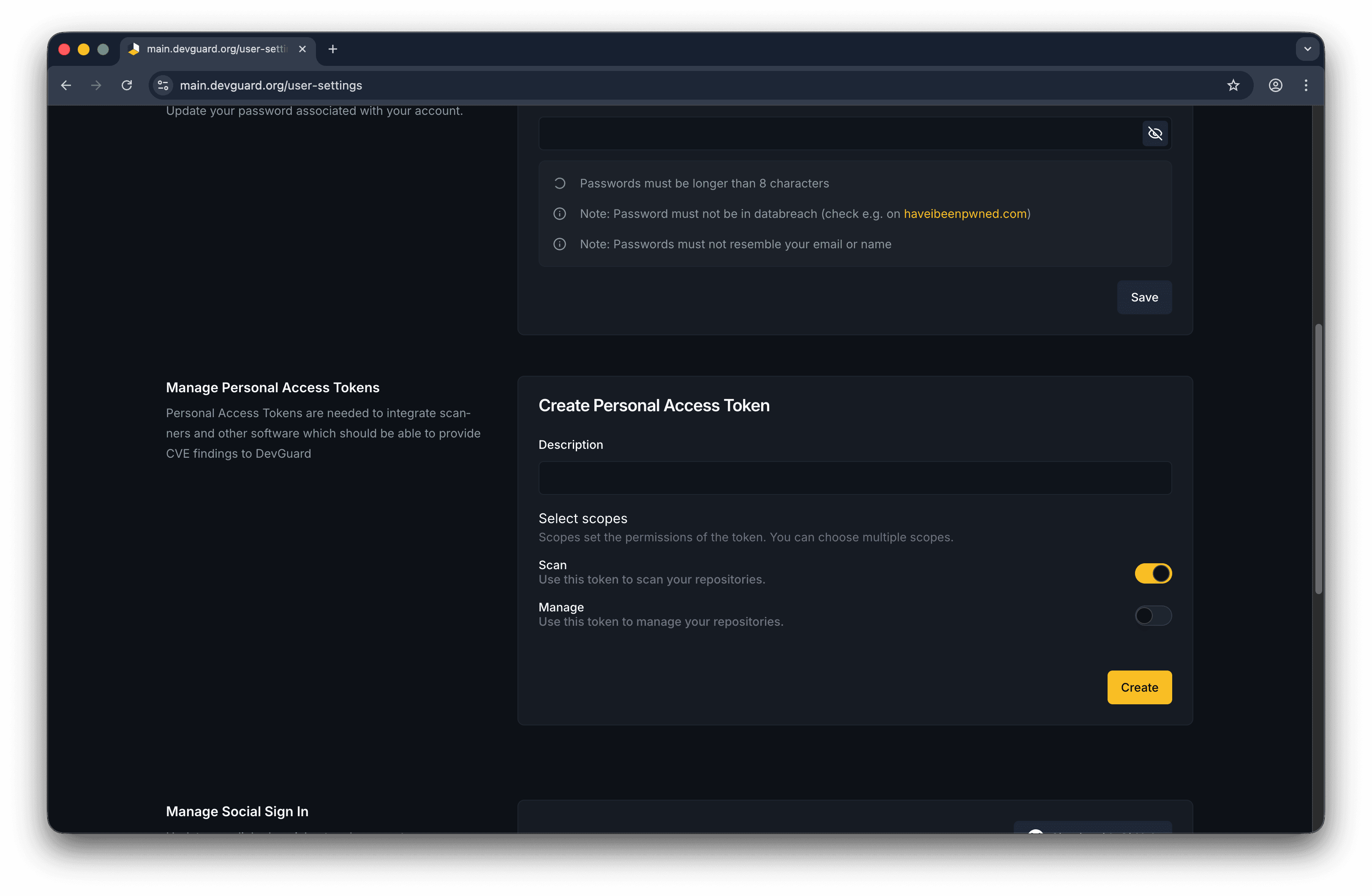
Fill in:
- Description — a human-readable label (e.g.,
github-actions-scanner) - Token type — Asymmetric (paste your ECDSA public key) or Symmetric (leave blank, server generates)
- Scopes —
scan,manage, or both - Expiry date — when the token should stop working (max 1 year)
For asymmetric tokens, generate a key pair first with the DevGuard CLI:
This outputs your private key (keep it secret) and the public key to paste during token creation.
Authenticate Using a Token
Add the token to the Authorization header:
Or set it in your CI/CD environment:
Revoke a Token
Settings → API Tokens → select token → Revoke
Revoked tokens are immediately rejected. For asymmetric tokens you can also revoke by private key from the CLI:
Onboarding
Following the DevGuard onboarding flow, DevGuard can create a token for you with the permissions needed to get started quickly.
Next Steps
- API Reference — Full REST API reference with interactive Swagger UI